Digital Pacific Company Blog

Useful tips on web design, hosting, marketing and more…

Posts Tagged ‘SEO’

How To Get Your Business Online

Tuesday, January 3rd, 2012

While making money on the Internet is certainly not as easy as it used to be, there are still plenty of opportunities out there. With a realistic approach and plenty of patience, many people are perfectly capable of making an income online. While there are freelancing opportunities to accommodate a wide variety of skills such as writing, web design and much more, starting your own business from scratch is somewhat more challenging. One of the greatest attractions to starting an online business is that the costs are minimal. Keeping your goals realistic is also essential. It’s wise to completely ignore the outlandish promises made by companies and individuals selling get-rich-quick schemes and instead start out with a plausible plan with goals that you can actually reach if you work hard enough. Consider the following steps for building a money-making website.

1. Be Inspired

Consider your skills and your level of knowledge in certain areas. You’ll want to think of a niche which you know plenty about as well as something which interests you. Since you’re going to need to provide quality content and something of value to your visitors, you need to be knowledgeable in your field. Of secondary importance is coming up with an idea that is ideal for making money.

How To Get Your Business Online
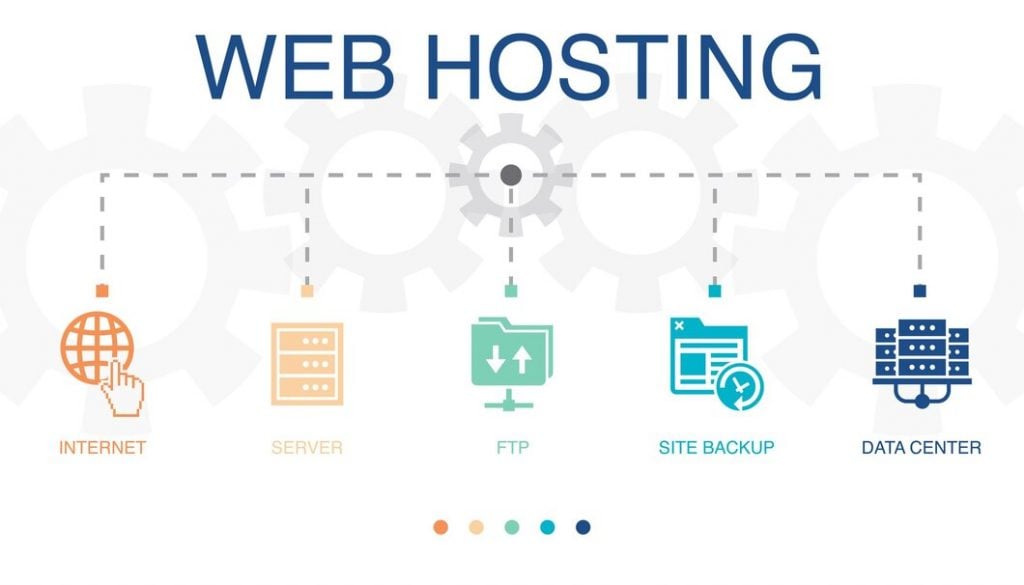
2. Register a Domain Name and Hosting Package

The only costs involved in starting an online business are registering a domain name (web address) and getting a web hosting package. The costs only run into a few dollars per month and the costs will only ever increase if you have an enormous number of visitors and you need to start paying for more bandwidth.

Choose your domain name carefully. It’s good practice for search engine optimization (SEO) to include a relevant keyword or phrase in your web address. You should also keep it short and memorable. It’s also a good idea to register multiple domain names which all direct to your main website. Ideally, you should register your domain name for a longer time, such as five years. The search engines favour long-term registrations.

You’ll also want to decide whether to use a local domain name ending in the country code for your location or a .com address. As a general rule, you should only use a localised domain name such as “.com.au” if the content of your site is primarily relevant to an audience in that country. For the most part, all other sites are better off using a .com address. There are plenty of other options, however.

(more…)

How To Get Your Business Online How To Get Your Business Online How To Get Your Business Online How To Get Your Business Online How To Get Your Business Online How To Get Your Business Online How To Get Your Business Online How To Get Your Business Online How To Get Your Business Online

8 SEO Tips That Will Skyrocket Your Websites Online Exposure

Monday, October 24th, 2011

Getting your website noticed online can be a difficult proposition. Beyond choosing a catchy domain name, what tools are at your disposal to increase your online exposure?

One of the best tools available for this purpose is SEO — search engine optimization. This process works by creating web content that contains a certain number of keywords. When you’re content is properly saturated with these keywords, the chances of your website popping up in relevant search results is greatly increased.
8 SEO Tips That Will Skyrocket Your Websites Online Exposure
Here are eight SEO tips that will boost your websites online exposure:

1. Keyword Selection

Keyword selection is the most important aspect to increasing your websites SEO. Make a bullet point list of 5-10 words that best describe your site. Then pick the three most relevant. These are your keywords and you should include them in your content, headers, titles and meta tags.

(more…)

8 SEO Tips That Will Skyrocket Your Websites Online Exposure 8 SEO Tips That Will Skyrocket Your Websites Online Exposure 8 SEO Tips That Will Skyrocket Your Websites Online Exposure 8 SEO Tips That Will Skyrocket Your Websites Online Exposure 8 SEO Tips That Will Skyrocket Your Websites Online Exposure 8 SEO Tips That Will Skyrocket Your Websites Online Exposure 8 SEO Tips That Will Skyrocket Your Websites Online Exposure 8 SEO Tips That Will Skyrocket Your Websites Online Exposure 8 SEO Tips That Will Skyrocket Your Websites Online Exposure

Ways to Promote Your Website – Part 1 of 3.

Monday, October 25th, 2010

Ways to Promote Your Website   Part 1 of 3.

These days, it’s all about being noticed – your website that is. With a mass of sites already in existence and the onslaught of new daily signups, having your website found is reminiscent of the old needle in a haystack metaphor.

With search engines getting more sophisticated and website designers becoming more savvy, there are often a number of things (some quite significant) you should do to help stand out in the crowd.

In this three part series, we’re going to explore a number of website promotion strategies (in other words — being found online) that you can implement yourself.

There are many strategies or points of focus that exist when it comes to marketing your website. Some are obviously better than others so here’s an attempt to select nine (three for three articles is a nice number!) strong ways to promote your site — part 1.

Fresh content

Whether in the form of articles, blogs, multimedia etc, by continually adding new content to your site, you not only keep the readers happy, and coming back for more, but appease the search engines by demonstrating that you are worthy of their attention. Search engines love new content and place value on these regular contributions — the more, the better. When these search engines target specific websites (because they have been identified as sites that produce constant, fresh material) they send their spiders to regularly read this new content. This repeat attention from search engines contributes to your site getting ranked well.

Keywords

Keywords are the words or phrases relevant to your domain or subject topic. By peppering them throughout the web copy, you attract the search engines and help them to categorise your site. For instance, if you sell fresh fruit, you could research what consumers are typing into Google and Yahoo in order for them to find sites that sell fresh fruit. Examples of these appropriate phrases and words may include fruit, bananas, green grocers, produce etc. Once identified, you then incorporate the keywords into your web site text.

Meta tags

Meta tags are used to include information about your website. They can define the site’s title, keywords and description and are used to more accurately list your site in search engine indexes.

Meta tags can be an area of confusion for some as they refer to the more technical side of website creation. This is because they appear in the HTML code of your website pages which not everyone is familiar with. However, don’t worry. After you have done it once, you will be able to repeat the process for any web page and/or site you create.

Some Meta tag examples are shown below:

<META NAME=”Name of Meta tag” CONTENT=”Your descriptive sentence goes here.”>

<META NAME=”Description” CONTENT=”Digital Pacific has provided reliable Australian web hosting, dedicated web hosting and Australian domain names for over 10 years.”>

Content, keywords and Meta tags are a great place to start for getting your website some prominence online. They all contribute to having your site ranked in search engine listings and are easy to put in place.

Read Ways to Promote Your Website – Part 2 of 3. where we’ll uncover further ways to promote your website.

Ways to Promote Your Website   Part 1 of 3.

Ways to Promote Your Website   Part 1 of 3. Ways to Promote Your Website   Part 1 of 3. Ways to Promote Your Website   Part 1 of 3. Ways to Promote Your Website   Part 1 of 3. Ways to Promote Your Website   Part 1 of 3. Ways to Promote Your Website   Part 1 of 3. Ways to Promote Your Website   Part 1 of 3. Ways to Promote Your Website   Part 1 of 3. Ways to Promote Your Website   Part 1 of 3.

Benefits of Naming Files Correctly

Friday, July 30th, 2010

You might not think about the repercussions at the time, but poorly named images, html files and directories(folders) can cause total confusion when it comes to updating your website later down the track. It can be a key indicator to a visitor that your site lacks professionalism but most importantly, it can hinder your website marketing efforts before you have even begun.

Examples of poorly named images, html files and directories include:

  • Example of poor file names: page8.html, page9.html, mypage.html, default.html
  • Example of poor directory names: /my directory/ or /MYDIRECTORY/
  • Example of poor image names: DSC23233.jpg, image of boat.jpg, weunfdweialksdfwe.jpg

In the first example, these file – or web page – names are identified in a very general way. Instead of page8.html, why not try to name it according to the information that can be found on that page, such as example: web-hosting-plans.html. By doing this, it not only allows users to be more aware of where a link will take them, but it also helps website owners with the big SEO factor.

Benefits of Naming Files Correctly

For the directory example, the issue of extra spaces, as well as capitalisation comes up. When spaces arise in a web URL, it can make it an ugly mess to say the least. Spaces will get replaced with a “%20″, which can make a URL hard to decipher. If you feel you must use a space, try replacing it with a dash. Also, issues with calling URLs can come about when there are unnecessary capital letters in directories, so it is best to keep it standard with lowercase. As with html files, it is just as important to be descriptive when naming directories as these will form part of a URL, so therefore will have an impact on your SEO.

Benefits of Naming Files Correctly

The last example deals with images that are not optimally named. This can occur when someone keeps the original image number description given to it by the camera, when the image name is vague or has spaces, and also when they are not comprehensible at all. Just as in the above two examples, using a descriptive name helps with SEO, and SEO of images is an often under-utilised area of optimisation. This simple change can easily be done by right-clicking the file name and choosing to “rename” before uploading. Or, you can usually make a change through whatever FTP program you use to upload.
Benefits of Naming Files Correctly

As stated in the introduction, having concise and clean URLs makes a business or other online presence look more professional. Remember, it’s the small things that make a difference.

In addition, the SEO capabilities of tagging images correctly is often overlooked by many website owners and webmasters. However, with the popularity of using search engines to find images, naming the image with the correct keywords can help individuals find your site.

So, do yourself a favour and have an inspection of your website’s file names to make sure they are serving you the best that they can.

Benefits of Naming Files Correctly Benefits of Naming Files Correctly Benefits of Naming Files Correctly Benefits of Naming Files Correctly Benefits of Naming Files Correctly Benefits of Naming Files Correctly Benefits of Naming Files Correctly Benefits of Naming Files Correctly Benefits of Naming Files Correctly

10 things you should do just before your website goes live

Tuesday, June 15th, 2010

There’s nothing quite like launching a new website. It could be days, weeks or months in the making. Hours may have been spent combing through each and every word, perfecting the message sent across to visitors. Even more time might have been spent playing around with colours and image placement. You may think you’re ready to go live, but are you really?

Any webmaster knows there are a lot of little details that need to be looked at when putting a website up, including everything from checking the links to onpage SEO. With so much on your plate, it is easy to forget a thing or two, so here is a handy list that can be used as a reminder.

1. Create a Favicon.ico

A favicon rounds out a website’s image, providing the tiny icon that can be found in your saved bookmarks, and at the top of browser tabs. Imagine the little “t” for Twitter and the “f” for Facebook. You can create a favicon of your own, and this tutorial will tell you how to do it.

2. Research your website’s colours.

You may not realise how much your website’s colours can impact a Web visitor’s experience until you read the Choosing Website Colours guide. There is definitely more to consider in regards to your palette when you think about your target audience and the cultural meanings of colours.

3. Check your links.

Broken links are links that take you nowhere. The page can either not be found, or it never existed in the first place. The most common cause of broken links is a simple misspell, but sometimes websites switch things around, or simply close down. You should use the W3C Link Checker from time to time to make sure your links are active.

4. Validate your website.

Beyond checking links, it is imperative to check your website’s code and CSS. Simply access the W3C website and type in your URL to see if your site is up to standards.

5. Check your website in all browsers.

The joys of a multi-browser world: what looks good in one, might look completely different in another. It would be a shame to come to this realisation just before launch, so it is always best to check your work from the beginning. You can read more in this article about browser compatibility.

6. Create a robots.txt file.

A robots.txt file is located on your server and tells the search engine bots which pages to crawl (and index), and which to avoid. So, if you want non-pertinent webpages, like login pages ignored by the search engines, then this is the place to specify that. Use this guide to create a robots.txt file of your own.

7. Prevent image theft with watermarks.

If you spent a lot of time and effort getting the perfect images put together for your website, you might want to protect those images by using watermarks. In this way, if people do decided to steal your images, at least it has your watermark on it for some free marketing.

8. Set up your forms to use CAPTCHA.

Spam emails and comments that result from your website can be a huge time drain, and there’s nothing more frustrating than not being productive with your work. CAPTCHA helps to make sure the person leaving the comment or sending the email is not actually a spam bot. Read more about CAPTCHA in the article, Beating Website Spam.

9. Check your onpage SEO.

When it comes to SEO, the basics that should be addressed from the beginning include the title, meta description and meta keywords to name a few. However, SEO is not a one-time activity; the process of optimising a website for the search engines is ongoing. Get some tips and ideas in our DIY SEO Hints and Tips page.

10. Make sure you’re not driving website visitors away.

A while back, we produced a humourous blog posts about all the ways you can make visitors never want to return. Although satirical, it is always a good idea to double check and make sure you’re not committing any of these website crimes.

Get these right, and you’ll be 10 steps closer to a successful website launch. Is there anything we missed that would be helpful? Leave us a comment!

10 things you should do just before your website goes live 10 things you should do just before your website goes live 10 things you should do just before your website goes live 10 things you should do just before your website goes live 10 things you should do just before your website goes live 10 things you should do just before your website goes live 10 things you should do just before your website goes live 10 things you should do just before your website goes live 10 things you should do just before your website goes live

Google’s New Look

Tuesday, May 11th, 2010

Google seems to be putting out one surprise after another lately. First, they get us with with the personalised search, and now it’s a fresh new look with added features. If you haven’t taken the time to read more about the new changes, and why Google made them, here’s a video to help you along:

Basically, the team at Google took some of the features (the search options across the top of the page), expanded them and made them better. The search options are now available on the left-hand side of the page, with the Universal Search options being the default view. This option shows all results for a search item like you normally would. The options under, however, let you receive more specific results.

For example, you can now limit your searches to just books or blog posts, or even blog posts in the past 24 hours. It is quite handy to those wanting to get only the most recent news and results, or even for those trying to compare changes between certain periods of time.

But, for people interested in seeing changes over time, there is also the additional feature of the “Timeline”. This gives the user a visual graph of the search results over time, also with a play by play (year to year) breakdown of what was popular. This new feature can quickly and easily show the popularity of that keyword or phrase over time, which is helpful for individuals conducting market research, or even for SEO purposes.

The “wonder wheel” is another interesting addition to the new Google. By clicking on this option, the user is brought to an image laying out the related searches spawning from this first search term. Click on a related search from the image, and the user is brought to yet another wheel (off the first wheel) with its own related searches. Being only a visual representation of Google’s standard related search ideas, it is noteworthy to be able to see on one screen the interlinking web of terms.

Cosmetically, Google has also updated the look of the site and the logo in order to appear more modern.

In terms of SEO, will this affect me?

It’s hard to say at this point.

With the removal of the radio buttons that previously allowed the selection of “the web” OR “pages from Australia” from the google.com.au homepage, search results now appear to be defaulting to “the web” results.

Google’s Old Look
Googles New Look

Google’s New Look
Googles New Look

After a search has been conducted a user can then select the “pages from Australia” option from the left hand side menu and then toggle between “The Web” and “Pages from Australia” as required using these links.

Googles New Look

There seems to be mixed emotions on many Australian websites about Google’s new changes.
How do you feel about it? and more importantly, have you experienced any changes in website traffic?

Let us know by dropping a comment below.

Googles New Look Googles New Look Googles New Look Googles New Look Googles New Look Googles New Look Googles New Look Googles New Look Googles New Look

Google Personalised Search For Everyone

Wednesday, December 16th, 2009

A big change happened to web search two weeks ago, but you may not have even heard about it.

Google unleashed its Personalised Search onto the world, and it is more than likely affecting your search results at this very moment. Take a quick look at this video to see what personalised search is all about.

What this means is simply that standard search results are a thing of the past. Personalised search is now automatically turned on for all Google browsers, even if the user is not logged into a Google account. In order to make this possible, Google puts a tracking cookie onto the computer that monitors data and uses that information from the past six months to provide “customised” search engine results.

For example: Let’s say that you visit your own website twice a day. If the next day you attempt to search for your website in Google by typing in your most competitive keywords, you may just find your website ranking much higher, even first position in the SERPs (Search Engine Results Pages). Please be advised – this is what personalised search will do – and this is not necessarily the result that everybody else is receiving. Google recognises that you have been to that website before based on your “web history” and serves your website first in the hope that this is the best result for you.

So, in the same sense, if you have been tracking your own website’s activity in the SERPs for the past week, you could very well be fooled into believing your ranking is much higher than it actually is.

Many people in the web industry are upset because they feel it takes away from the reliability of standard search results, while also affecting methods of search engine marketing. How is any website supposed to effectively compete for search engine traffic when a web surfer is being given previously customised results?

For those concerned, there is the option of always turning off the personalised search results. A big problem, however, is that many people simply do not know about the new feature as it was only announced on the Google blog, and on a Friday nonetheless. Another issue, being that it is an opt-out feature, is that very few people will probably take the time to turn it off.

If you would like turn off the personalised search, do the following:

  1. Click on “Web History” in the upper right corner of a search results page.
  2. Then, click on “Disable customizations based on search activity”.

How do you feel about Google’s roll-out of the new personalised search? Now that you know about it, are you planning to keep it active, or disable it?

Google Personalised Search For Everyone Google Personalised Search For Everyone Google Personalised Search For Everyone Google Personalised Search For Everyone Google Personalised Search For Everyone Google Personalised Search For Everyone Google Personalised Search For Everyone Google Personalised Search For Everyone Google Personalised Search For Everyone

Flash Websites: A guide to avoiding disaster.

Friday, August 7th, 2009

Flash, with all of its fancy animation and eye-catching features, is a popular method to build a website these days. Because of this flexibility and aesthetic flair, many web users are tempted to put together a fully Flash based website in order to make their mark, but really, who can blame them? Having the best looking and most interesting website possible should be key aspirations for anyone building a web presence. Before doing so, however, we recommend you fully weigh the advantages and disadvantages of this option so you can avoid a possible website DISASTER in the future.

Advantages

Flash websites are visually appealing. Yes, they are pretty, to say the least. So, by creating an effective Flash website, you can leave an immediate and lasting impression on a web visitor. This will hopefully make them more inclined to continue on with the site, refer a friend or return again in the future, which is the perfect defense against website failure.

Flash websites allow for animations. The true benefit of Flash animations is the way they can be delivered in an effective and pleasing manner. Flash animations can look crisper than standard video files, and, in some cases, they make up smaller files because the graphics within are vector-based. These points create faster load times and better visual appeal that will further help optimise website success.

Flash websites allow for interactivity. Everything from basic applications, such as contact forms and navigation bars, to advanced features, such as web based games, can be offered to web visitors through Flash at a much more interactive level. Static text is easily taken to the next level with this platform.

Flash websites can integrate presentations. With its crisp motion capabilities, Flash provides a professional appearance to a business or organisation by clearly portraying goals and business purposes to visitors through presentations. As opposed to plain, boring text, a visitor is probably more likely to remember the words, and overall feeling, of the visual presentation.

Disadvantages

Flash is a search engine killer. Chances are that if you are starting a website online, you are expecting some visitors. That being said, a full Flash based website will cripple your chances in the search engines before you even begin. Flash websites are embedded into adobe’s flash player and, up until quite recently, could not be crawled at all by search engines. Luckily, some search engines have announced they are now indexing Flash websites, yet webmasters worldwide are continually battling to get their full flash sites indexed, and indexed correctly.

Until the ability for all search engines to crawl a completely Flash based website the same as an html document is reached, we strongly recommend using only portions of flash in addition to links and main text that is located in the html document portion (not in the flash portions). Many questions remained unanswered on this topic, but for those wanting to know more, please refer to Flash N’Seo, a website dedicated to reporting SEO based experiments for Flash files.

Visitors MUST have the Flash player installed. If you have ever been to a website that has prompted you to install the Flash player, you probably understand why this can be a complete disadvantage for website owners. Unfortunately, without the player installed, there is no way to view Flash animations or websites. While the software is free, these extra steps to visit the adobe website to install it may keep many visitors from sticking around.

Editing a Flash website may be more complex. Since it is generally a more difficult platform to work with, as opposed to HTML and CSS techniques for example, making simple changes may not seem so simple. Ultimately, this may result in a more time consuming task at hand. In addition, if the website was built by an outside party with a hefty price tag, you might find yourself forking out more money for editing.

Load times will be impacted. As mentioned before, flash is a better option for integrating certain types of animation, but for overall website design, load times will be much slower. Depending on the patience levels of those visiting, people may simply decide to leave and explore one of the other thousands of websites available on the internet rather than wait. So, it is wise to think about the purpose of your website, and the type of visitors it will attract, before building your website. If the majority of visitors will be looking to it for a quick answer, then sure enough making them wade through slow load times and animations will push them on to the next.

We know it is easy to get lost in the possibility of having the flashiest Flash based website out there, but we urge you to hold back and weigh all the advantages and disadvantages before proceeding. Overall, Flash is a great platform to work with for website design, but only when used in the proper situation. While we do not recommend our customers to build websites entirely in Flash, we definitely encourage them to use it in portions, mainly for images or to create a desired effect. Most importantly, those creating with Flash should make sure to use text on the page in order to effectively be indexed by the search engines. Failure in this area alone could result in a true website DISASTER.

What do you think? Are there any advantages or disadvantages we missed? Leave us a comment to contribute to this debatable topic.

Flash Websites:  A guide to avoiding disaster. Flash Websites:  A guide to avoiding disaster. Flash Websites:  A guide to avoiding disaster. Flash Websites:  A guide to avoiding disaster. Flash Websites:  A guide to avoiding disaster. Flash Websites:  A guide to avoiding disaster. Flash Websites:  A guide to avoiding disaster. Flash Websites:  A guide to avoiding disaster. Flash Websites:  A guide to avoiding disaster.